

NOTE: Main requirement to have root access to the server
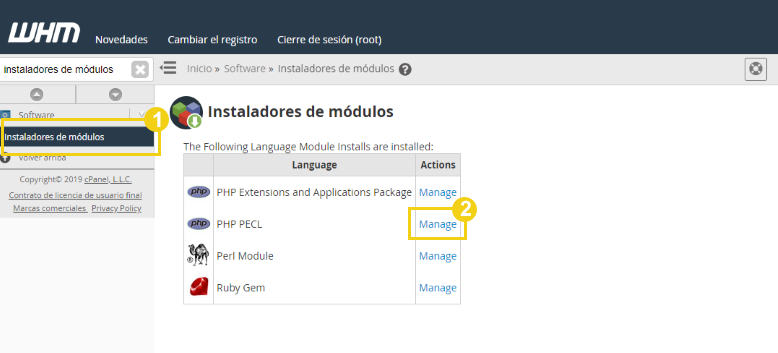
HE PASSED 1: In WHM, find and click on Module Installers / Then under the PHP PECL option, click on Manage
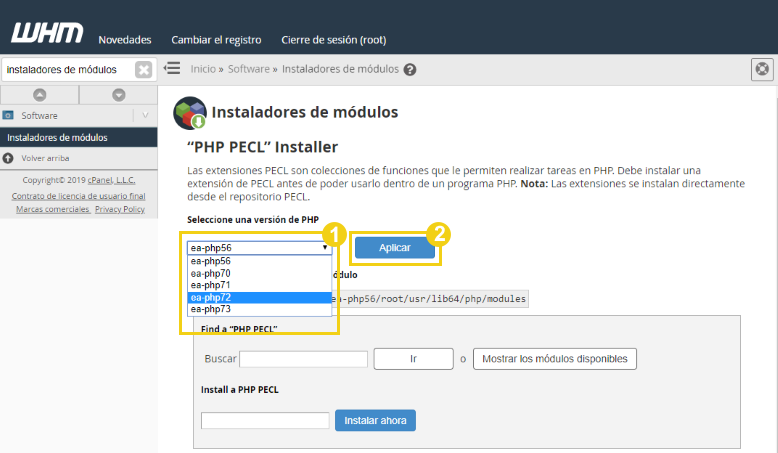
STEP 2: On the new screen, select the version of PHP you want to install Imagick on / Then, click Apply
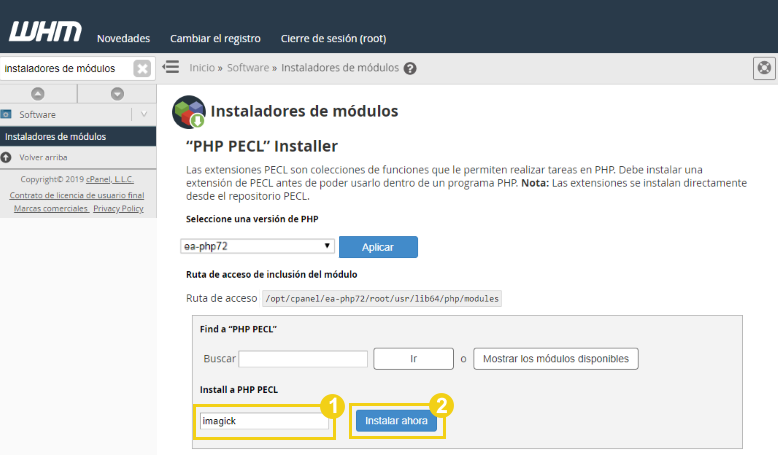
PAOS 3: In the Install a PHP PECL field, type imagick / Then click Install Now
If the installation is successful, the screen will display:
Installation logs
The installation path
The success message “Build process completed successfully”



![Como solucionar 502 Bad Gateway | Cloudflare and Nginx [Engintron] – WHM/Cpanel](https://blog.index.pe/wp-content/uploads/2022/02/502-bad-gateway-200x150.png)



 English
  Español