

To create an email account "corporate mail" (user@your-domain.com) from your cPanel administration follow these steps:
- Login to your cPanel control panel: your-domain.com/cpanel
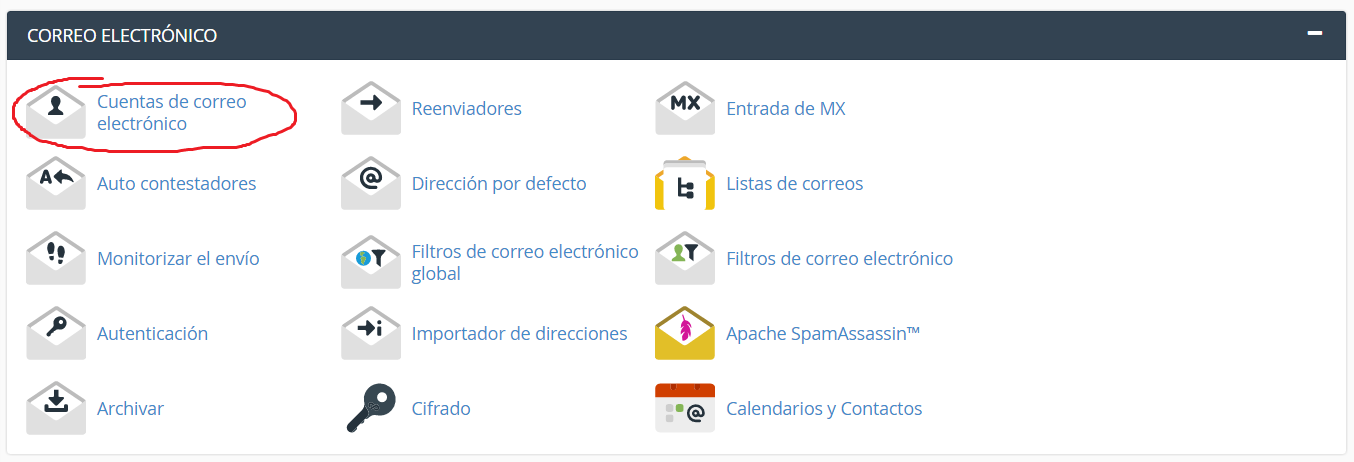
- In the EMAIL section, click Email Accounts.

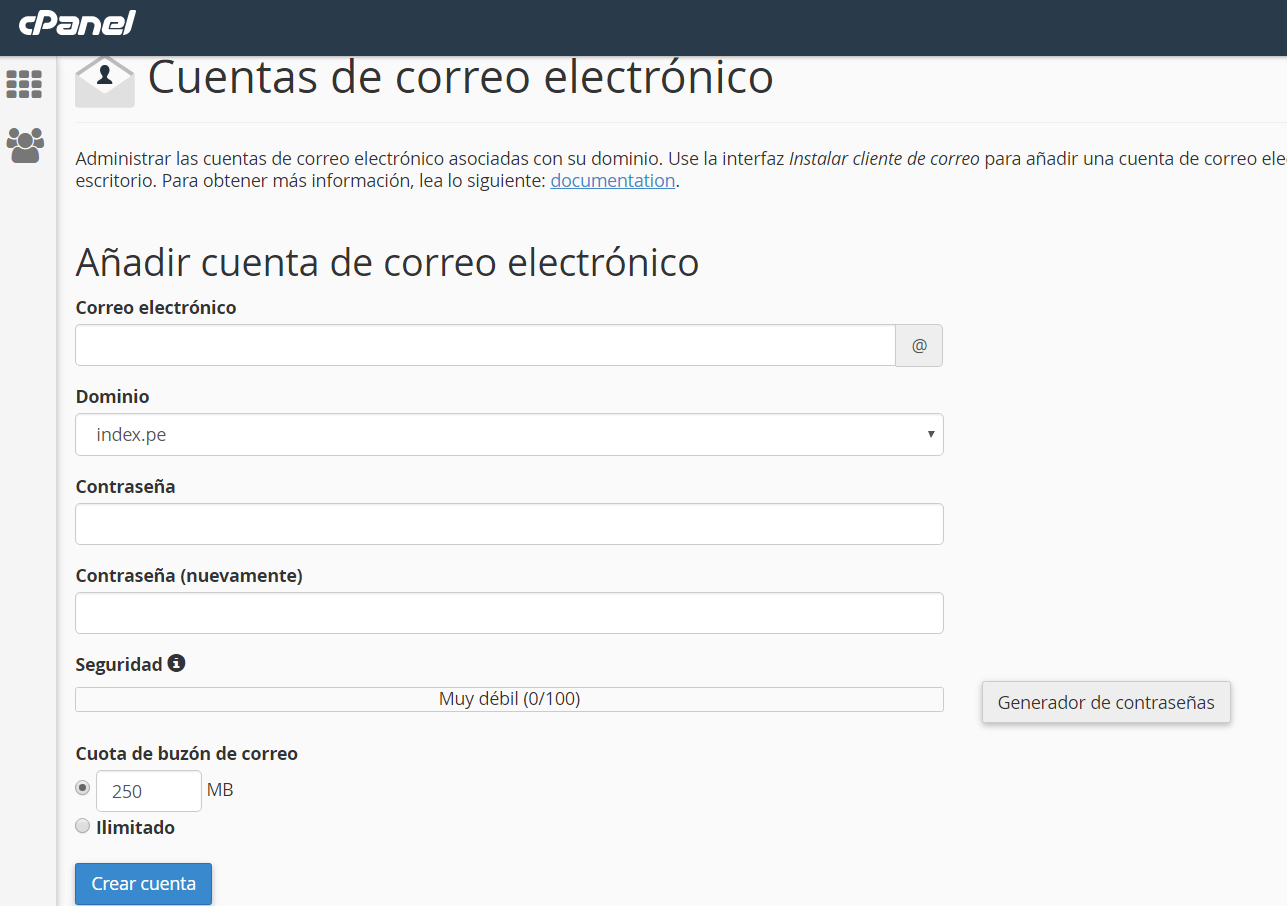
- In the first section «add email account» Enter the information to create your Email account:
- Email: user must enter
- Domain: Your domain name
- Password: minimum 8 characters between uppercase letters, lowercase letters, symbols and numbers.
- repeat your password
- Mailbox Quota (optional): This is the maximum amount this account can store
- Press CREATE
How to Login to read/Send E-mail messages through Webmail?
In your browser type the following URL address: http://your-domain.com/webmail
Enter your full email and password:
user@your-domain.com
Your password
Click on the OK button –> Choose one of the applications to read your email: Horde, SquirrelMail or RoundCube, then you can configure the default application that best suits your needs.


![Como solucionar 502 Bad Gateway | Cloudflare and Nginx [Engintron] – WHM/Cpanel](https://blog.index.pe/wp-content/uploads/2022/02/502-bad-gateway-200x150.png)



 English
  Español