
How to fix Office 365 shows as Office 2019 Professional Plus
How to fix Microsoft Office installation that shows the wrong version
Office 365 installation shows wrong version
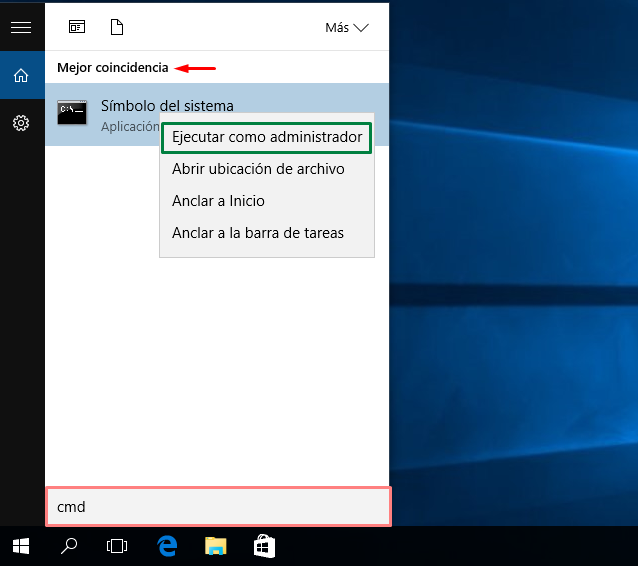
- Open "CMD" Command Prompt as administrator
- Navigate to installation location
if exist "C:\Program Files\Microsoft Office\Office16\ospp.vbs" cd /d "C:\Program Files\Microsoft Office\Office16" if exist "C:\Program Files (x86)\Microsoft Office\Office16\ ospp.vbs" cd /d "C:\Program Files (x86)\Microsoft Office\Office16"- Check Microsoft Office license status
cscript ospp.vbs /dstatus- Remove the Office license
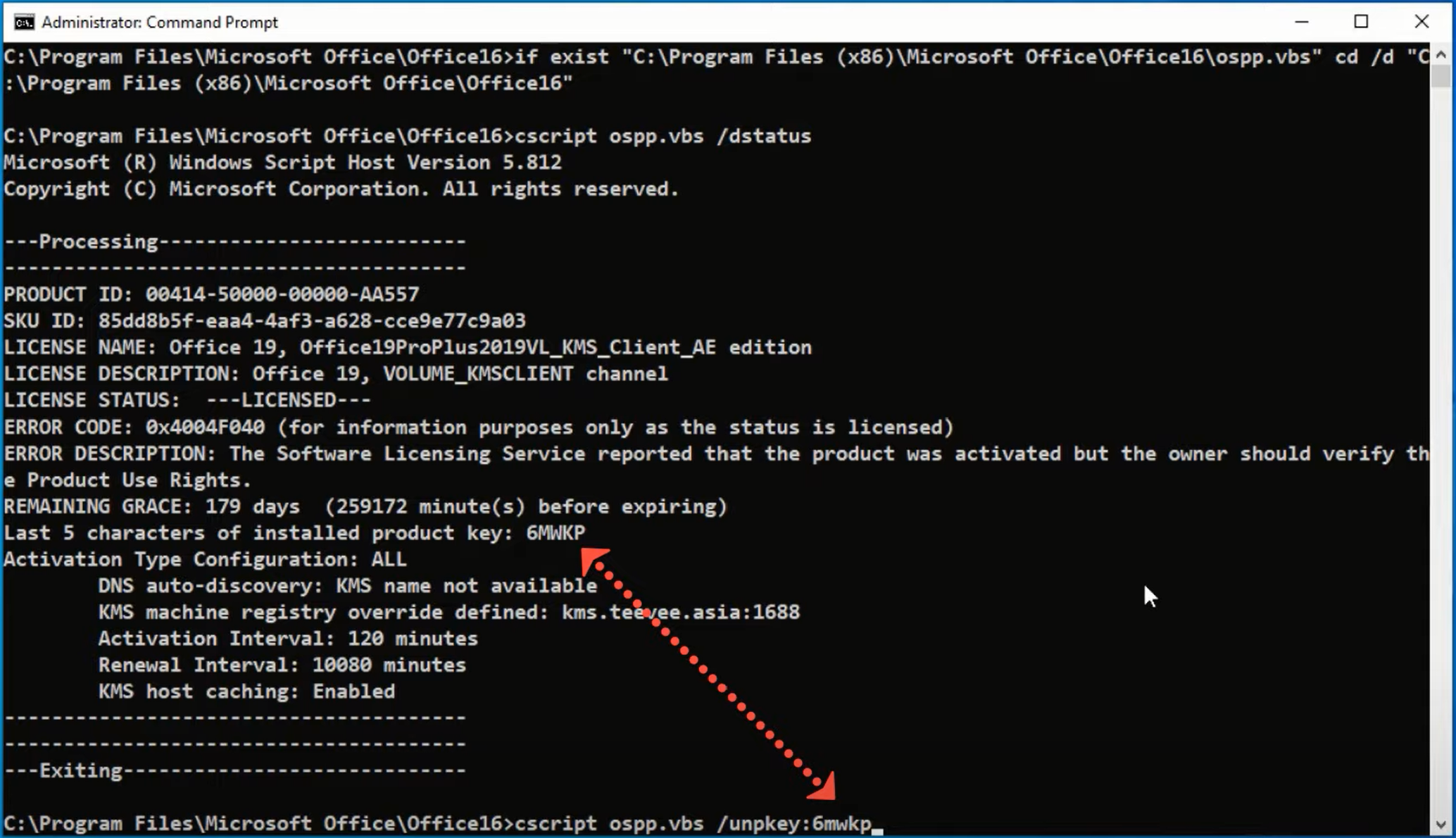
cscript ospp.vbs /unpkey:xxxx 






 English
  Español